While browsing the Fox News web site, they once again tried to serve up a virus through one of their “carefully selected partners.” Fortunately, Google Chrome caught the attempted infection.

While browsing the Fox News web site, they once again tried to serve up a virus through one of their “carefully selected partners.” Fortunately, Google Chrome caught the attempted infection.
I’ve learned a painful lesson about computer backups. In the last two days I’ve lost two hard disks. One had two movie projects representing hundreds if not thousands of hours of work; the other contained college project work, personal pictures, and a large music collection.
Most, if not all, of the information on the first was also stored on a laptop. The actual loss in this case shoudn’t be much.
The other failure is more problematic as little if any of the material was stored in other places. My usual processes of placing a laptop disk in a USB enclosure failed. Windows XP wouldn’t recognize the disk; Windows Vista helpfully offered to format it; Mac OS X showed that there was about 60 gig of data on it, but wouldn’t let me access it; and an Ubuntu live CD identified that the disk needed to be attached to a Windows system and run chkdks /f on the disk. It looks like a disk recovery service is the only option at this stage. The pricing of the services isn’t attractive considering they may not be able to get anything anyway.
So what have I learned? Two things. First, I’ve learned that I need to come up with an effective backup strategy for the computers that I’m responsible for outside of work. Right now that’s seven systems and two NAS devices. I’m a software developer and I really should know better. I wouldn’t settle for not having a backup plan at work. No crises and always being successful in previous disk failures at getting most, if not everything, from failed disks has bred complacency.
Second, I need to teach the kids to back up their important materials in multiple locations. That’s probably the harder task.
One of the features of the new iPhone 3 OS that I discovered quite by accident is the ability to “undo” typing. Just give the phone a quick shake when you’ve typed something you don’t want. The “Undo Typing” dialog will slide onto the screen.
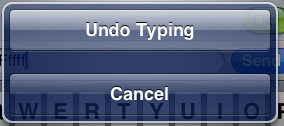
If you happen to shake the phone when there is nothing to undo then the “Nothing to Undo” dialog will slide onto the screen.

This handy feature isn’t available everywhere in the phone. For example, the keypad used for actually dialing telephone numbers does not support undo.
I discovered a feature of the iPhone accidentally today. When a text message fails to send the iPhone helfully displays a warning sign next to the text message.

Clicking the exclamation icon brings up a handy dialog to ask if I want to send it again.
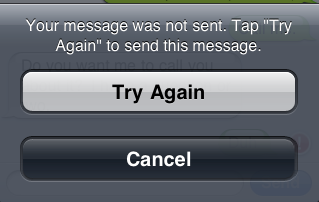
I don’t recall having seen this feature before, so it might be new with the iPhone 3 OS release.